
Invite your team
Give your colleagues access to Unboared so they can host games on their own.
Why invite your team?
If several people at your venue need to launch games (waitstaff, managers, hosts), each one can have their own access. No more sharing a single password.
How to invite a member
Go to the dashboard
Head over to b2b.unboared.com and log in with your admin account.
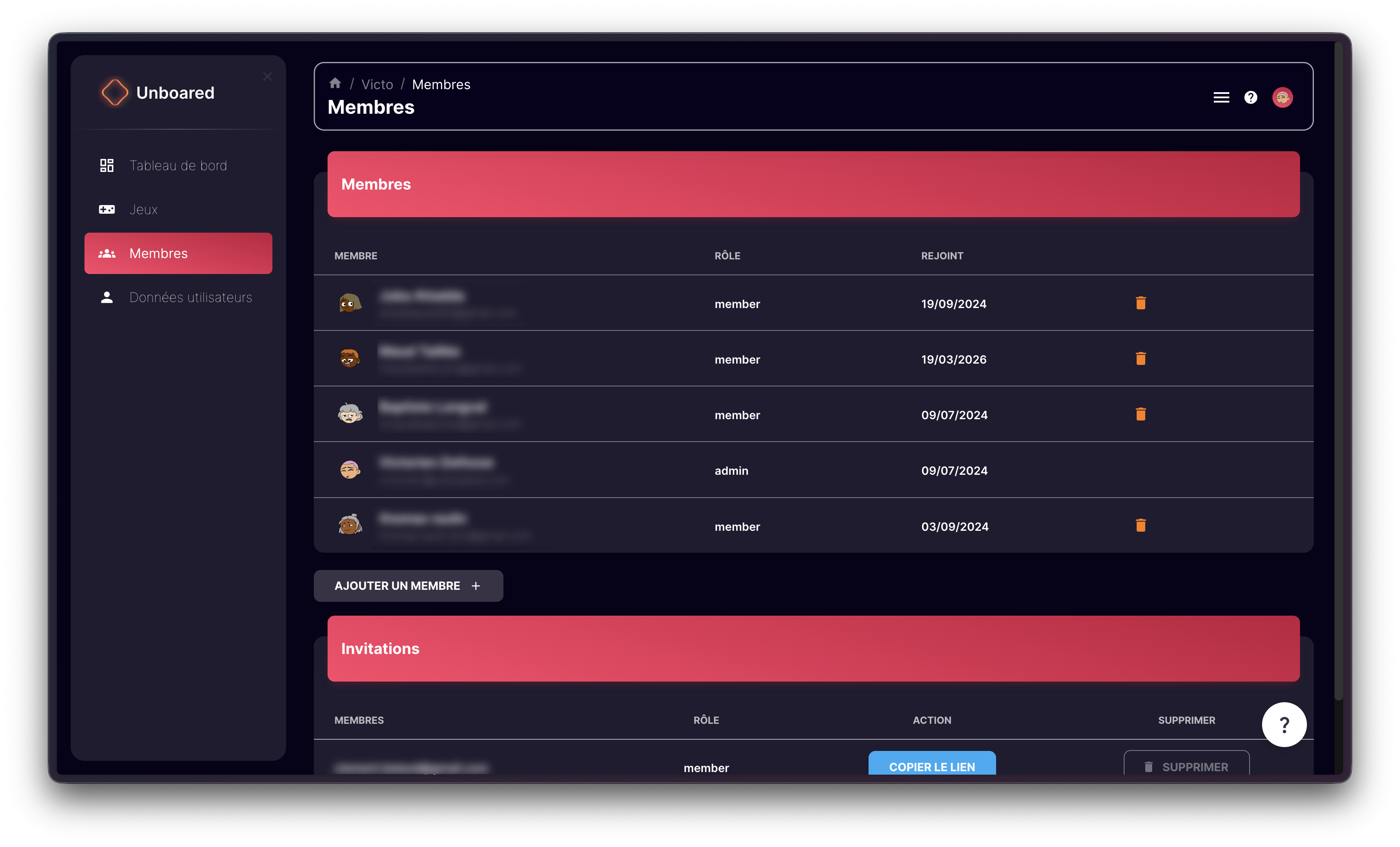
Open the Members section
In the left-hand menu, click on Members.
Click Add a member
Enter the person's email address and choose their role:
- Admin: full access to the dashboard, can invite other members
- Member: can launch Unboared on the console
Share the invitation link
A link is generated automatically. Copy it and send it to your colleague by email or message. They can create their account by following this link.
The invited member will receive their own credentials. They can launch Unboared completely on their own, without needing your password.
Manage existing members
From the same Members page, you can:
- View the list of all members and their roles
- Remove a member by clicking the delete icon next to their name
- View pending invitations that have not yet been accepted
To change the role of an existing member or for any questions about team management, contact us at contact@unboared.com.